Equipment Rental Management Software-Desktop version
Professional, easy-to-use solution for small to medium-sized equipment rental businesses. Streamline bookings, increase utilization, and enhance operational efficiency.
Overview
Equipment Rental Management Software is a professional and easy-to-use solution designed for small to medium-sized equipment rental companies. With powerful scheduling tools, the software significantly improves the efficiency of equipment booking, increases rental rates, and enhances overall operational capabilities.
The intuitive interface, advanced query capabilities, and comprehensive reporting make equipment management simple and even enjoyable.
Features & Benefits
Multi-store support
Rental and return across multiple locations seamlessly.
Powerful scheduling
Fast, accurate bookings with visual scheduling tools.
Extensive reporting
Revenue, rentals by equipment/customer, and more.
Customizable settings
Delivery types, payment methods, taxes, and charges.
Real-time dashboard
Visual overview of pickups, returns, overdue, revenue.
Authorization controls
Role-based access for employees.
Interface Components
The software features a user-friendly interface with graphical elements and customizable options. Key modules are accessible via the main menu: Equipment, Customers, Agreement, Dashboard, Reports, and Help.
Main Menu

Toolbar

Sidebar
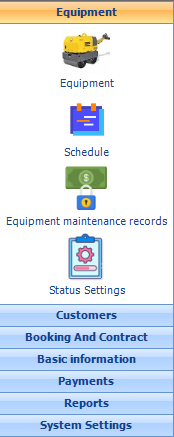
Workspace
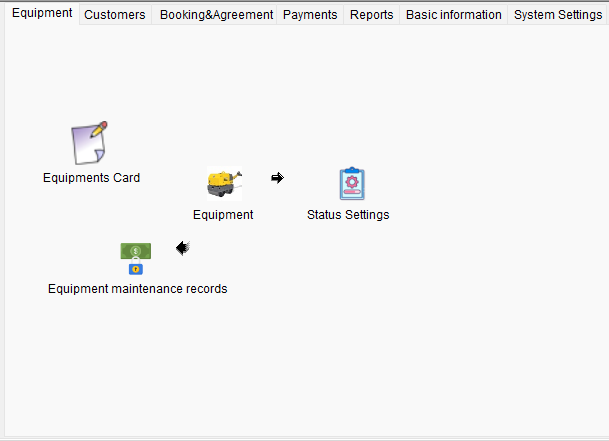
* Actual screenshots from the software (placeholders shown).
Product Details
- Version: 2.04
- Last update: 3/3/2026
- License: Perpetual / Subscription
- Platform: Windows 7/10/11
Quick Setup Guides
- Company
- Employee Setup
- Equipment Settings
- Charges & Tax
- Customer Management
- Authorization
Settings & Configuration
Before using the software, configure these settings to match your business needs.
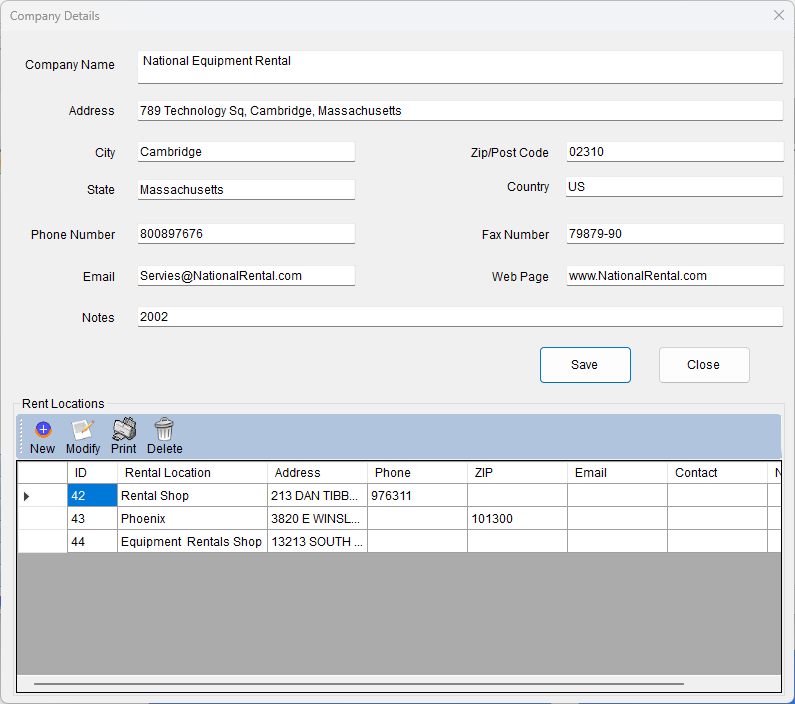
Company

Employee Setup
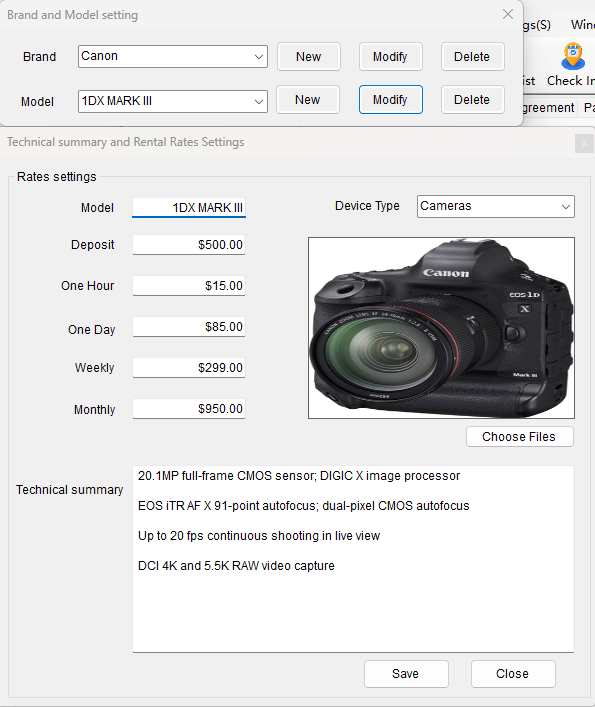
Equipment Settings
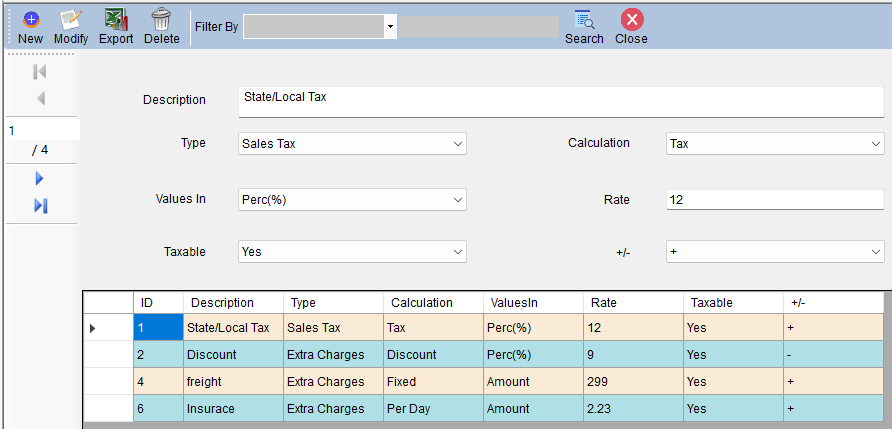
Charges & Tax
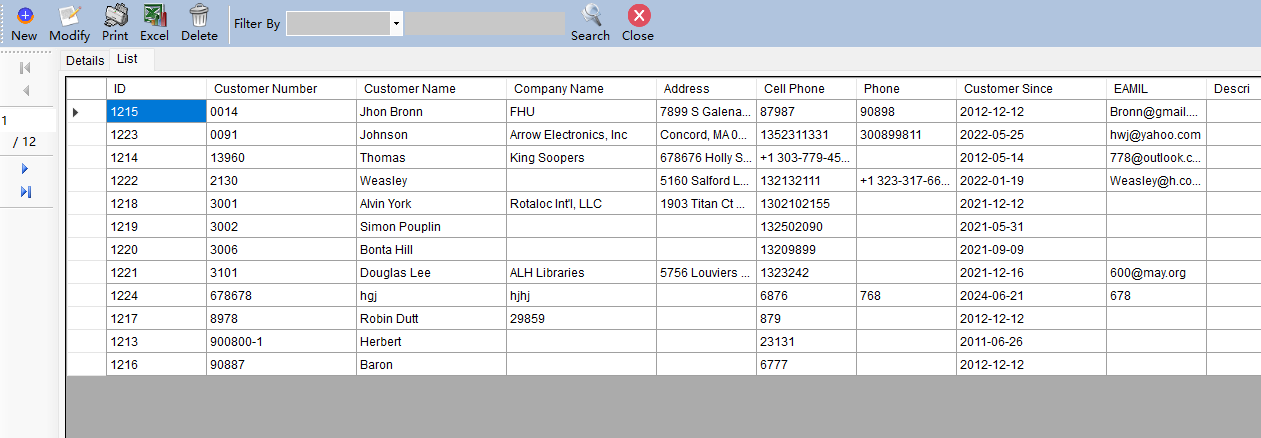
Customer List
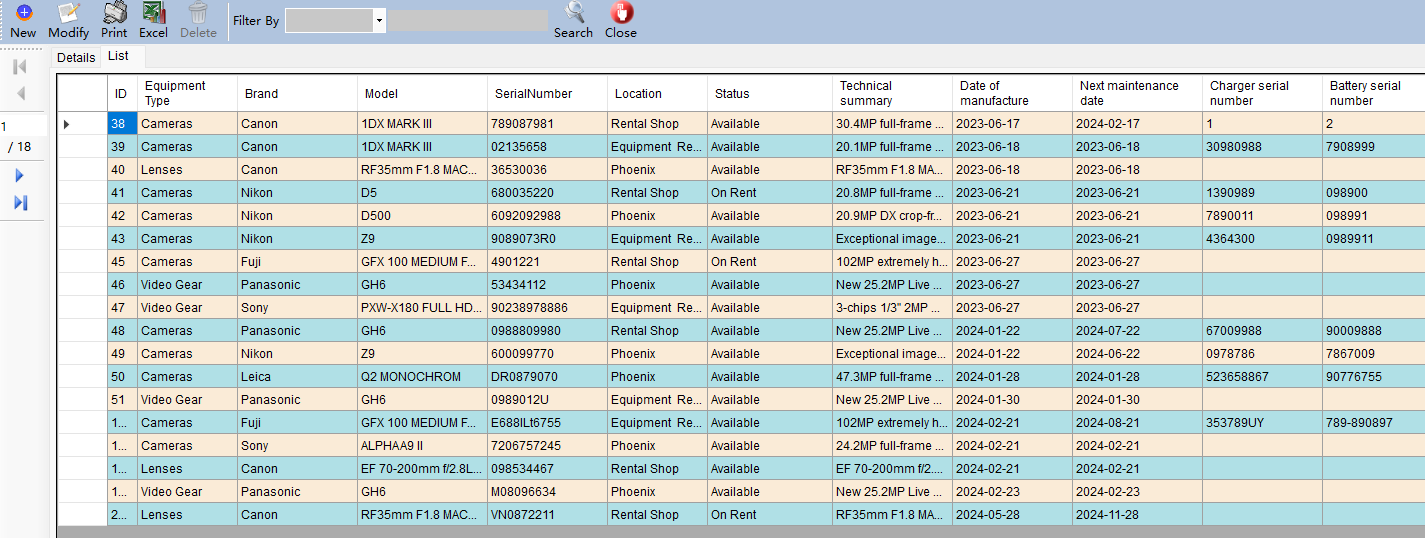
Equipment List
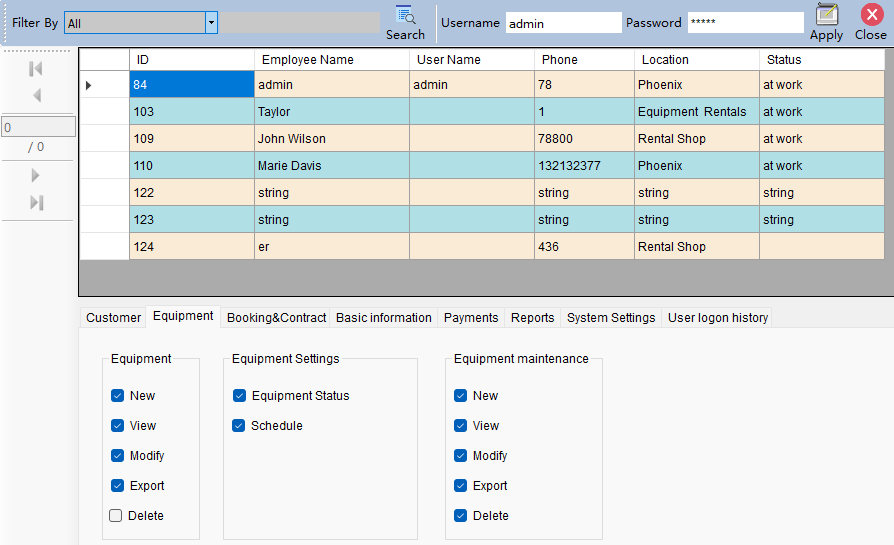
Authorization controls
How to Rent Equipment
1. Click the 'Rental Now' button on the toolbar.
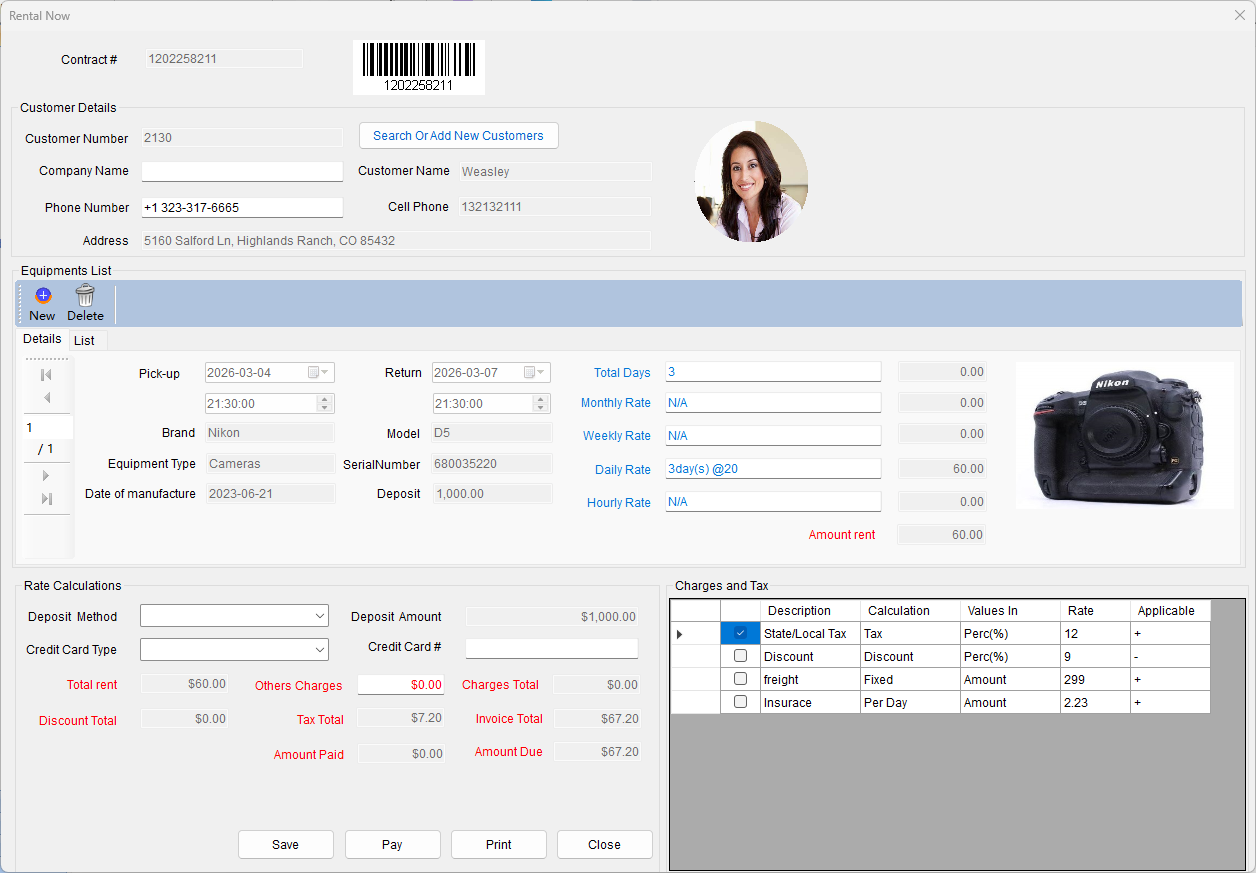
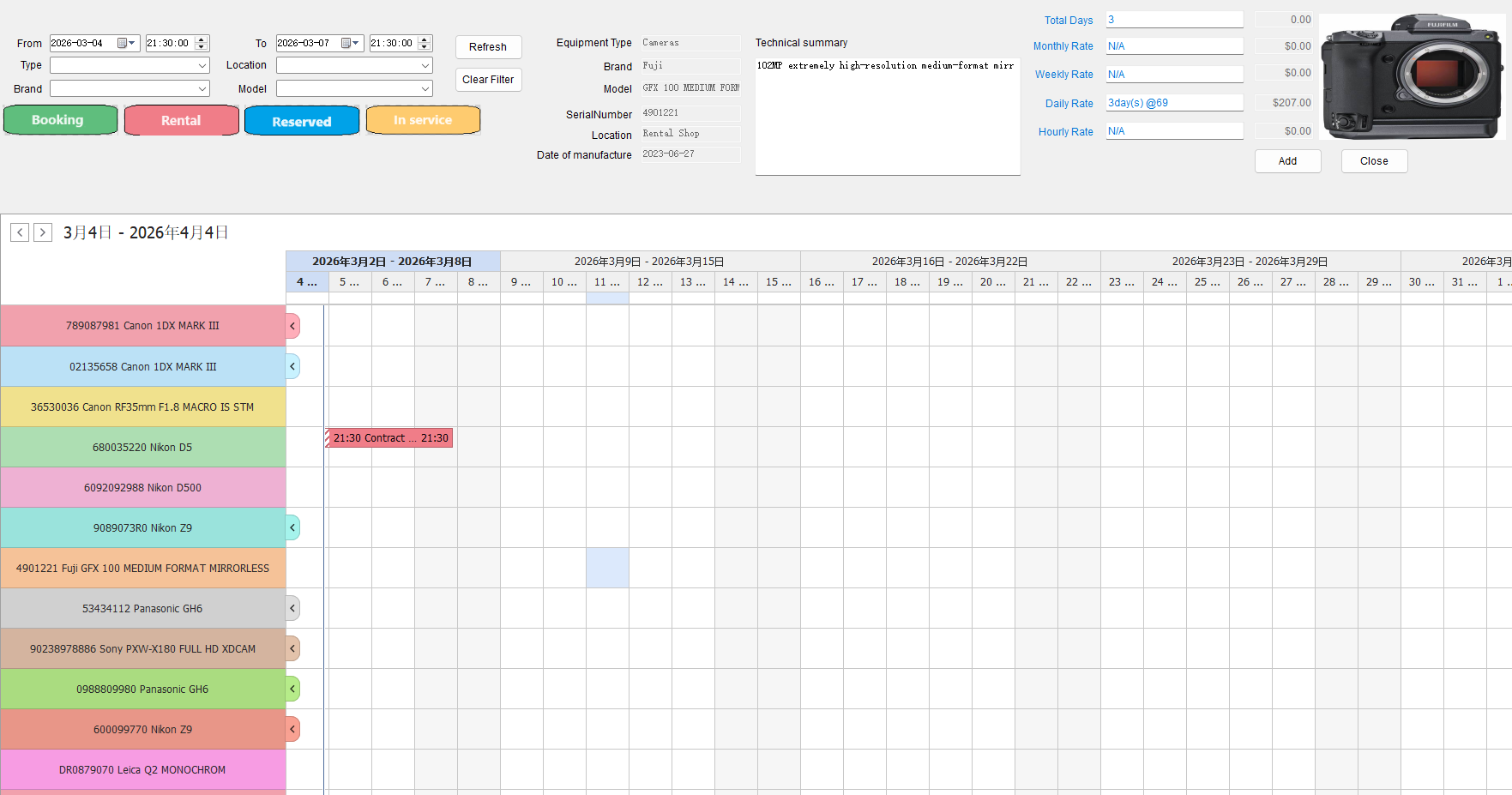
2. Select customer, choose equipment with availability filters, set charges and tax, then complete payment.
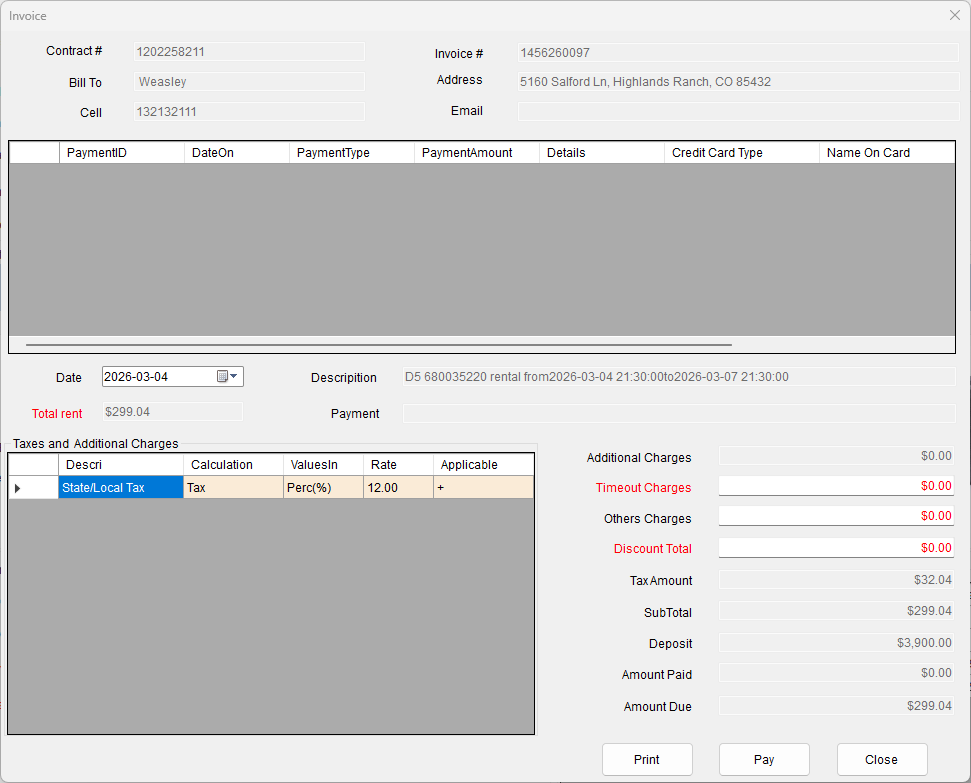
3. Print receipt and contract, and manage returns with the Return button.
Dashboard & Reports
Real-time insights into your business performance.
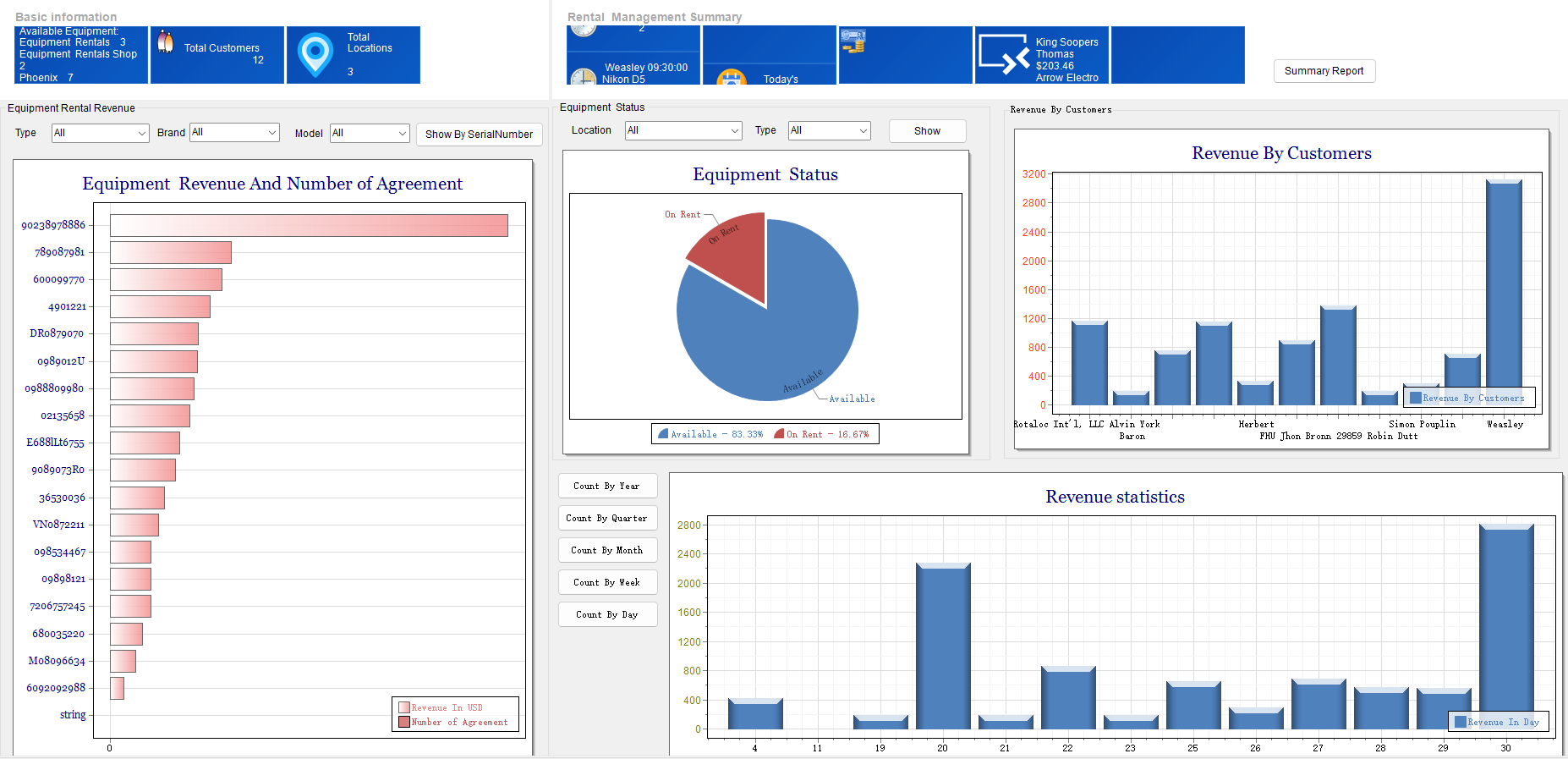
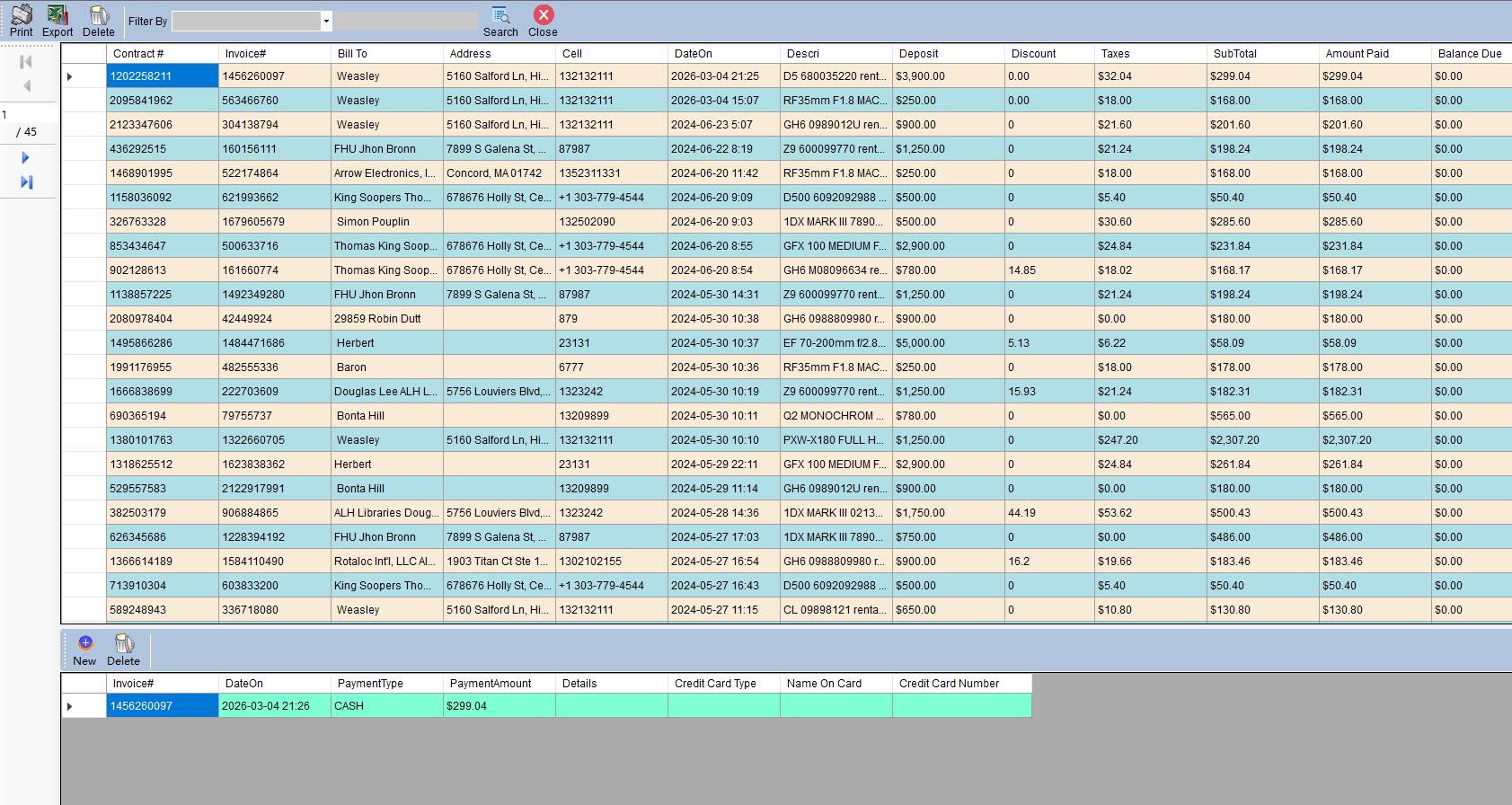
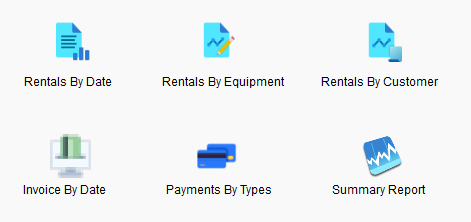
Comprehensive reports: rentals by equipment, by customer, invoices, payments, and summary.
Ready to streamline your rental business?
Download a free trial or contact us for a personalized demo.
No credit card required. 30-day full-featured trial.